













Install on iPhone
- 1. Tap the Share button in Safari's bottom bar.
- 2. Scroll and choose Add to Home Screen.
- 3. Tap Add — done.
 Brazil—
Serie A
· 2026
Brazil—
Serie A
· 2026
| # | Player | G |
|---|---|---|
| 1 |
 K. Viveros
|
18 |
| 2 |
 Pedro
Pedro
|
15 |
| 3 |
 Carlos Vinícius
|
10 |
| 4 |
 Gabriel Barbosa
|
10 |
| 5 |
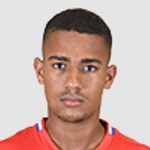 Samuel Lino
|
9 |
| 6 |
 Danilo Santos
|
9 |
| 7 |
 John Kennedy
|
9 |
| 8 |
 Luciano Juba
|
9 |
| 9 |
 J. López
|
8 |
| 10 |
 Matheus Pereira
|
8 |
| 11 |
 Pedro Rocha
|
8 |
| 12 |
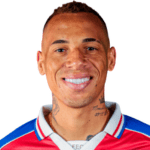 Breno Lopes
|
8 |
| 13 |
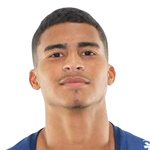 Rene
Rene
|
8 |
| 14 |
 Luciano
|
8 |
| 15 |
 J. Carbonero
|
7 |
| 16 |
 Maurício
|
7 |
| 17 |
 Jája Silva
|
7 |
| 18 |
 Arthur Cabral
|
7 |
| 19 |
 J. Calleri
|
7 |
| 20 |
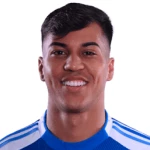 Kaio Jorge
|
7 |

SportsCatch
Install for faster access and offline reading.
SportsCatch
Free • No signup • No ads
Install the app and follow every match like it's happening live in your pocket.
Live scores in 1 second
Auto-refreshing fixtures across football, basketball, F1, rugby and MMA.
Reads instantly. Even offline.
Articles cache automatically — keep reading on the metro, on a flight, anywhere.
2× faster than the browser
Opens from your home screen in 0.3 s — no tabs, no chrome, just the match.
Zero ads. Zero tracking.
We don't sell your data. We don't ask for accounts. Just sports.
Install on iPhone
Install on Android
Takes less than 5 MB. Uninstall anytime from your home screen.
Get notified about breaking news and live scores.
Notifications are blocked. Turn them on in your browser settings to get alerts.